
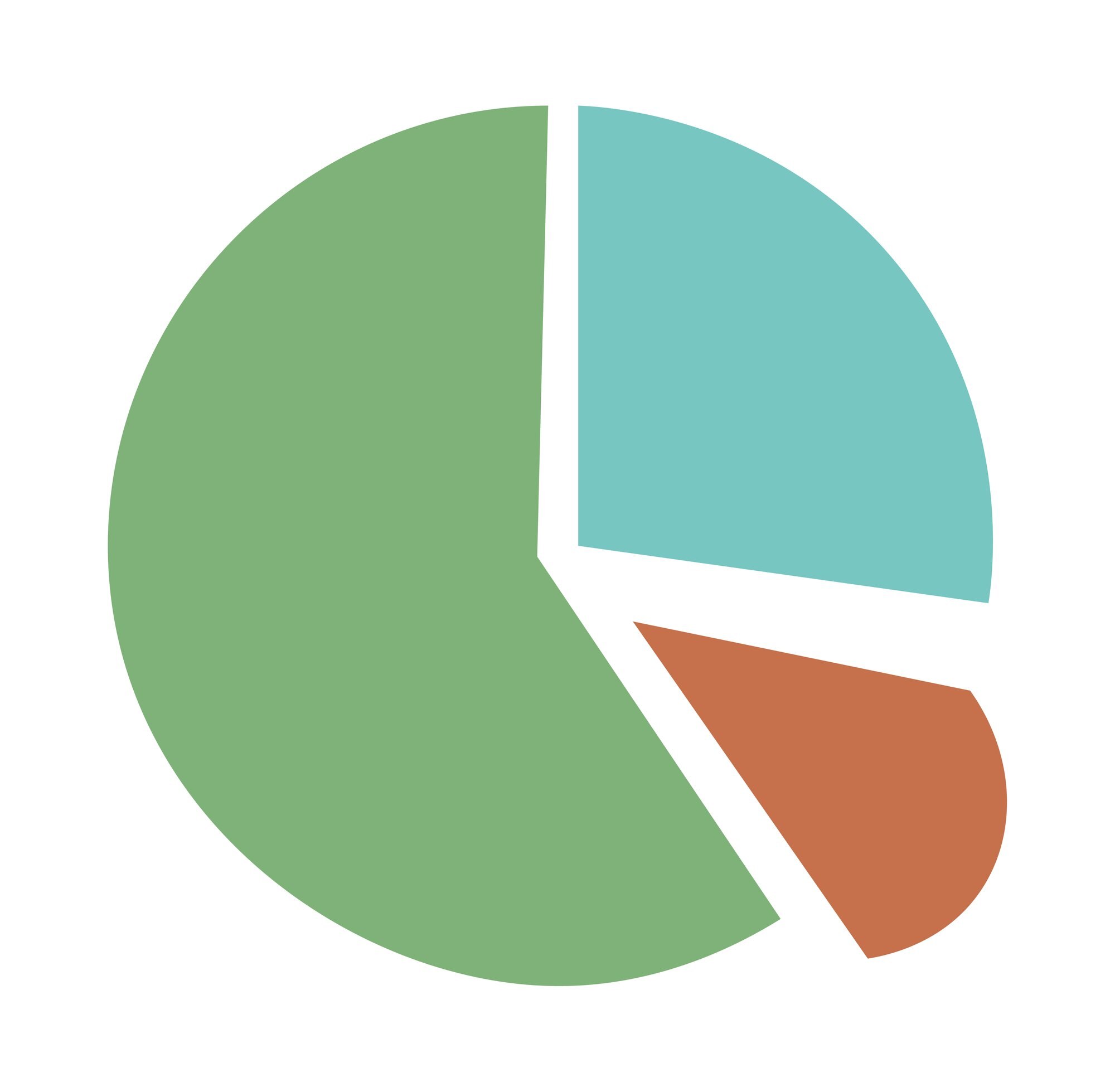

Both examples below use hypothetical figures. A $4,000 household budget makes a useful pie chart example: housing takes $1,600, or 40% of the circle. A second example uses a retailer’s $100,000 in regional sales to show why a bigger slice does not always mean more money. Both pie chart examples below connect the slices to dollar amounts, with calculations you can use to read or draw the charts yourself.
In This Article
- Define the Whole Before You Calculate
- Example 1: Read a Household Budget
- Turn Percentages Into Slice Angles
- Example 2: Compare Regional Sales
- Read the Comparison Without Losing the Totals
- Choose Labels That Make the Chart Useful
- Key Takeaways
- Frequently Asked Questions
- Start With One Clearly Defined Whole
Define the Whole Before You Calculate
Suppose you label a circle “Monthly household spending” but include savings among its slices. The arithmetic might be correct, yet the title promises something the chart does not show: money set aside is not money spent. For the household example below, the whole is monthly take-home income, and the slices show how that income is allocated.
That distinction also decides what belongs in the chart. Every dollar needs one category; assigning the same transaction to both housing and utilities counts it twice. Leaving an allocation out means the slices no longer account for the whole named in the title.
Once the categories cover that whole without overlap, calculate their shares:
Category percentage = category value ÷ total value × 100
Both values must use the same units. Dividing housing dollars by total income dollars gives a share of income; dividing by the number of people in the household answers a different question. Keep the dollar amounts with your pie chart data so the percentages remain tied to what they measure.
Example 1: Read a Household Budget
This household allocates its entire $4,000 monthly take-home income as follows. Savings belongs here because the chart describes an allocation, not spending alone.
| Category | Monthly allocation | Share | Slice angle |
|---|---|---|---|
| Housing | $1,600 | 40% | 144° |
| Food | $800 | 20% | 72° |
| Transportation | $600 | 15% | 54° |
| Utilities | $400 | 10% | 36° |
| Savings | $600 | 15% | 54° |
| Total | $4,000 | 100% | 360° |
Housing’s calculation is $1,600 ÷ $4,000 × 100 = 40%. It receives the most money and therefore the largest slice. Transportation and savings receive equal amounts, so unequal slices for those categories would reveal a drawing error.
The food and transportation slices raise a less obvious question: how much more goes to food? The gap between their shares is 5 percentage points. Those percentage points measure the difference against the whole household income, not against transportation alone.
To describe how much larger the food allocation is, use transportation as the starting value: ($800 − $600) ÷ $600 × 100 ≈ 33.3%. Food receives about 33.3% more money than transportation, while its share of household income is 5 percentage points higher.
Turn Percentages Into Slice Angles
A full circle measures 360°, so slice angle = percentage × 3.6°. Enter a percentage such as 40, not the decimal 0.40; if you use a decimal proportion, multiply it by 360° instead. Half the whole, 50%, occupies 180°, while 25% occupies 90°.
The household table includes the resulting angles: for example, housing occupies 40 × 3.6° = 144°. All five angles sum to 360°.
Use those angles to draw the budget accurately: housing falls short of a semicircle, while transportation and savings form matching wedges. If a drawing makes housing look like half the budget, its appearance contradicts the allocation. The slice must follow the value, not the space available for its label.
Example 2: Compare Regional Sales
A retailer records $100,000 in sales during one quarter: North contributes $60,000 and South contributes $40,000. One pie showing regional contributions gives North 60% and South 40%. Its question is straightforward: “Where did the company’s sales come from?”
The same figures can support several displays. Choose according to whether the reader needs to see shares or judge the dollar gap.
| Chart option | Best for | Regional sales display | Pros | Cons |
|---|---|---|---|---|
| Direct-labeled pie chart | Company sales shares | North: $60,000, 60%, 216°; South: $40,000, 40%, 144° | Sales and shares together | Angles are harder to compare precisely |
| Doughnut chart with center total | Keeping the total visible | Center: $100,000; North 60%, South 40% | Shows the shared denominator | Exact sales still need labels |
| 100% stacked horizontal bar | Compact share comparison | One bar: North 60%; South 40%; total 100% | No slice angles to judge | Dollars need labels |
| Zero-baseline horizontal bar chart | Comparing dollar amounts | North: $60,000; South: $40,000; axis starts at $0 | Clearer $20,000 gap | Shares need 60% and 40% labels |
The table keeps the whole fixed. Now change the question to “What did each region sell?” Each region needs its own total and a product breakdown that adds up to that total:
| Product | North sales | Share of North | South sales | Share of South |
|---|---|---|---|---|
| Appliances | $36,000 | 60% | $28,000 | 70% |
| Furniture | $18,000 | 30% | $8,000 | 20% |
| Accessories | $6,000 | 10% | $4,000 | 10% |
| Total | $60,000 | 100% | $40,000 | 100% |
For each region, divide appliance sales by that region’s total sales and multiply by 100. The product name stays the same, but the denominator changes.
Put the regional total beside each circle and keep each product’s color consistent across both. The colors identify the products; the totals establish what their shares are worth. Without those totals, the circles describe product mix but cannot tell you the sales amounts.
Read the Comparison Without Losing the Totals
South’s appliance slice is larger, 70% versus North’s 60%, but represents less money: 70% × $40,000 = $28,000, compared with 60% × $60,000 = $36,000. Matching proportions need not mean matching revenue either: accessories account for 10% in both regions, but $6,000 in North and $4,000 in South.
For a practice calculation, find furniture’s share of company sales before reading the next paragraph. You need both regional furniture amounts and the company total, not an average of the two slice labels.
Furniture contributes $18,000 + $8,000 = $26,000. Its share of company sales is $26,000 ÷ $100,000 × 100 = 26%. Averaging the regional shares, 30% and 20%, would give 25%, incorrectly giving the smaller region as much influence as the larger one.
Choose Labels That Make the Chart Useful
“Housing: $1,600 (40%)” lets a reader answer both “How much?” and “What share?” without estimating the wedge. Use that format when the amount matters; a category and percentage alone can serve a chart concerned only with composition.
Composition is not always the decision at hand. If you want to know which region sold more furniture, side-by-side bars make the dollar difference easier to judge. Pie charts answer part-to-whole questions; they make a reader work harder for precise comparisons across groups.
A useful title should identify that question before anyone studies the labels. “Regional contribution to company sales” describes the single-circle view, while “Product mix within each region” describes the paired circles. Choose the view first, then write labels that support it.
Key Takeaways
- Name the whole accurately: an income allocation can include savings; a spending chart should not call savings spending.
- Keep units consistent when calculating shares, and use the angle formula when drawing by hand.
- Distinguish percentage-point gaps from percentage increases: food’s comparison with transportation shows why the wording matters.
- Combine original amounts before calculating an overall share across unequal groups.
Frequently Asked Questions
What Is a Pie Chart?
A pie chart is a circle divided into slices showing categories’ shares of one whole. In the budget example, each slice represents an allocation of income, not a separate household.
How Do I Create a Simple Pie Chart?
Put category names in one spreadsheet column and their values in the next, select both columns, and insert a pie chart. Use the original amounts as inputs, then add a title that identifies the whole and labels that identify the slices.
How Do I Explain a Pie Chart to Kids?
Explain that the circle represents everything being divided and each slice represents one part. Ask why transportation and savings should have matching slices in the household example; their equal allocations supply the answer.
What Is a Pie Graph?
“Pie graph” is another name for a pie chart. If an exercise uses that term, apply the same part-to-whole calculations used here; the name does not change the display.
Can Rounded Slice Labels Add Up to Slightly More or Less Than 100 Percent?
Yes, rounding individual labels can make their sum slightly different from 100% even when the data is complete. Three equal shares labeled 33.3% add up to 99.9%, so draw from the original values and explain the rounding instead of changing a category’s amount.
Can Equal-Sized Slices in Separate Circles Represent Different Sales Amounts?
Yes, equal-sized slices can represent different sales amounts because each circle has its own total. For the regional example, compare the dollar labels before treating a matching slice as evidence of equal sales.
Start With One Clearly Defined Whole
Before choosing a chart, write the question you want a reader to answer. “Where does our income go?” calls for the household allocation; “Which region sells more furniture?” calls for a direct comparison of amounts. Do not let the available chart template choose the question for you.
Before publishing, check that every slice matches its data, each chart identifies its total, and readers can answer the stated question from the display alone.
Recommended for you

Symmetric Histogram: Balance Beyond the Tallest Bar
A symmetric histogram mirrors bars around a center, not always its tallest peak. Compare tails and see how bin boundaries affect balance. Read the example.

Design Principles for Beautiful and Readable Network Maps
Put 2,000 nodes and 8,000 edges on a canvas and most viewers will see spaghetti. Use layout constraints, color discipline, and geometry tuned to human perception, and clusters, bridges, and outliers become legible in under five seconds—the difference between guesswork and insight. This guide distills Design Principles for Beautiful and Readable Network Maps into practical […]

Stacked Bar Chart: Totals, Parts, and Shares Made Clear
A stacked bar chart shows totals and the parts behind them. Learn when to use counts or percentages, with a worked example and Excel steps. See the guide.

How to become productive
You can’t outwork a broken system. Knowledge workers routinely lose 60–120 minutes a day to context switching, unclear priorities, and manual tasks that smart tools could finish in seconds. The fix is not more hours; it’s a compact operating system that aligns focus, energy, and technology. If your intent is to learn how to become […]
Box Plot Reading: A Shorter Box Doesn’t Mean Faster
A box plot shows center and spread, not speed alone. Use task-time examples to compare medians and variability on the same scale. See the worked example.

SEO Infographic: Why the Publishing Page Matters Too
An SEO infographic needs more than an image. Connect your search question, visual, file and publishing page in five steps to make it useful. See the steps.

Basics: What Is a Heat Map? Why the Legend Matters
What is a heat map? Learn how colors represent values, why sales dollars can be mistaken for orders, and how to read axes and legends. See the examples.

Climate Change Infographic: From Emissions to Action
See how a climate change infographic links heat-trapping gases to rising heat, then separates emissions cuts from adaptation. Explore the causes and actions.