
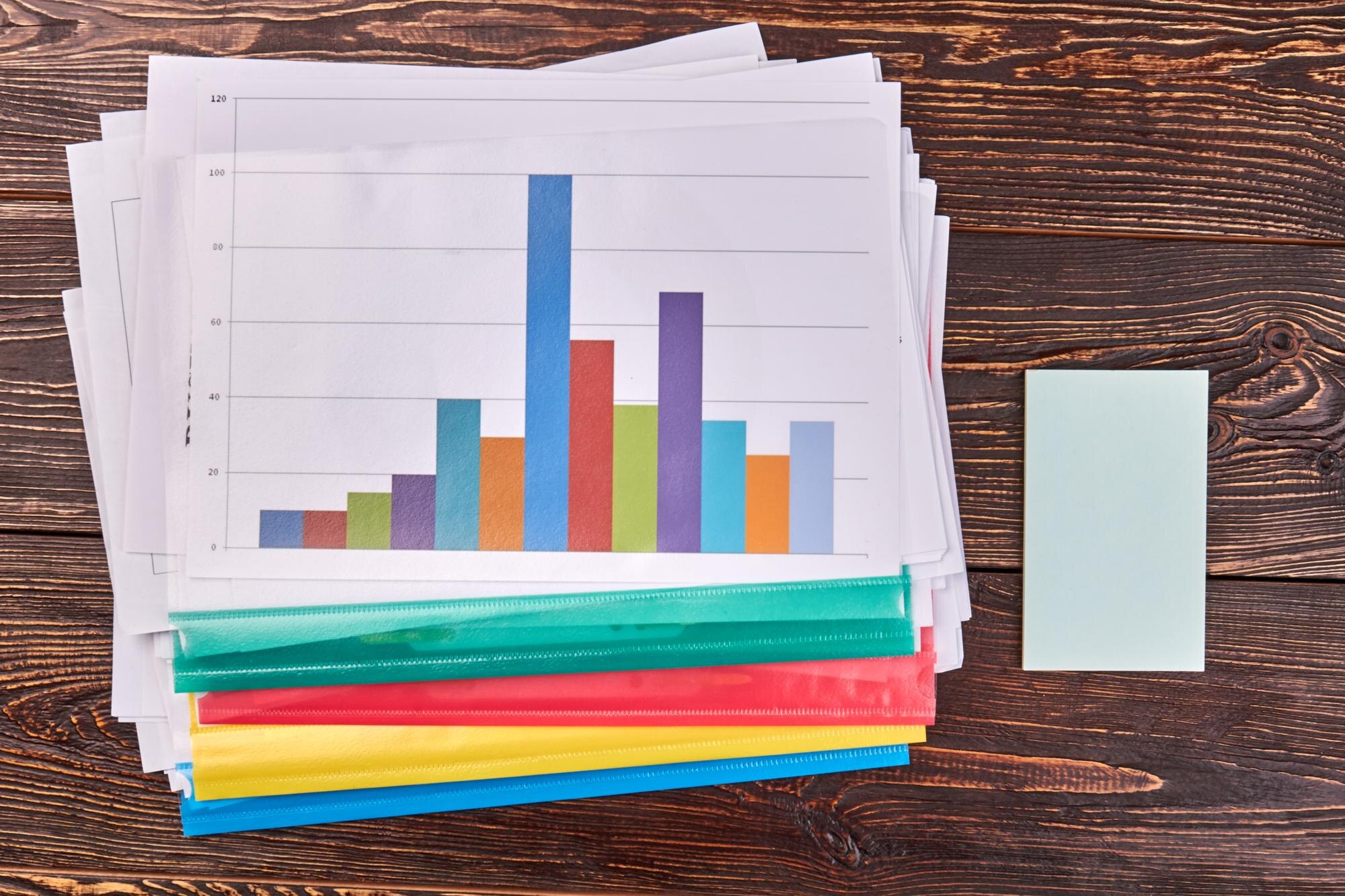

A histogram reveals where numerical observations bunch together and where they thin out by grouping values into intervals and showing how much data falls in each. A list of waiting times makes you inspect appointments one by one; a histogram makes a crowded middle or a few long waits visible at once.
The clinic example below connects each chart choice to a practical question: which pattern deserves attention, and what would you do about it?
In This Article
- What Do the Bars Represent?
- Build a Simple Waiting-Time Example
- Read the Center, Spread, and Gaps
- Choose Between Counts, Proportions, and Density
- Choose a Useful Bin Width
- Interpret Shapes Without Guessing the Cause
- Key Takeaways
- Frequently Asked Questions
- What the Waiting-Time Example Shows
What Do the Bars Represent?
Each bar represents a numerical interval, called a bin. For waiting times grouped into five-minute bins, position tells you how long people waited, while the bar shows how many observations belong there. Adjacent bars ordinarily touch because their intervals share boundaries. An empty bin keeps its place on the axis.
That fixed position matters. Suppose you move the longest-wait bin beside the shortest-wait bin because their counts are similar. The chart would put distant measurements next to each other and break the waiting-time scale. Sorting the bars by height would scramble it further.
A bar chart can rearrange categories such as departments or payment methods. Histograms preserve numerical order and distance: the space between bars is part of the information, not spare room for arranging them.
Build a Simple Waiting-Time Example
Consider this hypothetical histogram example: a clinic records waiting times for 40 appointments. Each interval includes its lower boundary and excludes its upper boundary, except the final interval, which includes both endpoints. A wait of exactly five minutes belongs in the second row; a wait of exactly 30 minutes belongs in the final row.
| Waiting Time, in Minutes | Number of Appointments |
|---|---|
| 0 to less than 5 | 4 |
| 5 to less than 10 | 12 |
| 10 to less than 15 | 16 |
| 15 to less than 20 | 6 |
| 20 to less than 25 | 0 |
| 25 to 30, inclusive | 2 |
To draw the frequency histogram, label the horizontal axis “Waiting time (minutes)” and mark boundaries at 0, 5, 10, 15, 20, 25, and 30, equally spaced. Label the vertical axis “Number of appointments,” with ticks from 0 to 16 in steps of two. Draw adjoining bars with heights 4, 12, 16, 6, 0, and 2. Leave the 20–25 interval empty without closing its space. Equal bin widths make bar heights directly comparable, and the counts account for every appointment.
The clinic’s busiest waiting-time interval is not the shortest one. Twenty-eight of the 40 appointments have waits from 5 to less than 15 minutes. Then comes an empty interval followed by two longer waits. Those separated waits give an analyst a specific place to begin investigating.
Read the Center, Spread, and Gaps
The tallest bar marks the modal interval. If both middle observations in sorted order fall within the modal interval, the median also lies within that interval. To report an exact mean or median, calculate it from the original measurements instead of substituting bin midpoints.
The original measurements also supply the exact minimum, maximum, and range. On the chart, the occupied bins show a broad span, but the empty interval makes the upper end especially interesting: the longest waits stand apart from the main group.
An analyst can pull those two appointment records and examine their arrival and service-start times. If both belong to the same appointment type, compare that type with the others. If both occurred together, inspect staffing and the sequence of arrivals during that period. The gap has become a focused question about clinic flow.
For a different question, combine adjacent bins and sum their counts. For a cutoff inside a bin, return to the individual records and count directly.
Choose Between Counts, Proportions, and Density
Counts answer “How many?” Proportions answer “What share?” Divide each bin’s count by the sample size to compare groups of different sizes. A busier clinic could have more appointments in every interval while retaining the same proportional pattern. Label the vertical axis with the measure you use.
Bin width introduces another choice. With unequal widths, using counts as bar heights can visually overstate groups in wider bins.
With unequal widths, use frequency density: count divided by bin width.
For a proportional display, divide proportions by bin width instead. Each bar’s area then represents its share of observations. Read the area, not the height, as the proportion; a density height can exceed one when bins are sufficiently narrow.
Choose a Useful Bin Width
The Freedman–Diaconis rule offers a starting width: 2 × IQR × n^(−1/3). Here, IQR is the distance between the 25th and 75th percentiles, and n is the sample size. Use raw measurements to calculate those percentiles, not estimated midpoints.
The grouped counts alone do not determine exact percentiles without information or assumptions about values within the intervals. Using the central half of the data reduces the influence of extreme values compared with using the full range.
Compare that starting width with nearby choices. Doubling the table’s bin width gives counts of 16 for 0 to less than 10 minutes, 22 for 10 to less than 20, and 2 for 20 to 30, inclusive. The empty interval merges into the last bin. The long waits remain, but their separation becomes harder to see.
Narrow bins can exaggerate random variation; wide bins can combine peaks. Moving the starting boundary also changes grouping. If the IQR is zero, choose a usable width based on measurement precision and your question instead.
Interpret Shapes Without Guessing the Cause
A histogram distribution may look roughly symmetric, stretch into a tail, or show several peaks. A right-hand tail means some measurements extend farther toward larger values, not that most values are large. Multiple peaks suggest comparing relevant groups, such as appointment types, to see whether their separate patterns explain the combined shape.
Group comparisons still leave out timing. Suppose, in an imagined follow-up to the clinic example, a time-ordered plot places both longest waits immediately after the lunch break. The appointment log then shows that arrivals resumed before the scheduled staff return. That mismatch gives the clinic a concrete scheduling problem to address; the histogram pooled those events with the rest of the day.
A gap may reflect a process boundary, rounding, or limited sampling. Use collection records to distinguish those explanations. Keep the histogram for the overall pattern and the time-ordered chart for when that pattern developed.
Key Takeaways
- Keep numerical intervals in their original order.
- Use separated observations to select records for investigation.
- Compare groups with proportions when sample sizes differ.
- Make area represent frequency when bin widths differ.
- Test whether a striking feature survives a different grouping.
Frequently Asked Questions
Each answer below addresses a choice that can change how your chart is read.
What is a histogram used for?
A histogram is used to examine how numerical measurements are distributed. For comparisons between clinics, give both charts matching bin boundaries so a difference in grouping does not masquerade as a difference in waiting times.
How do I create a histogram?
Choose numerical bin boundaries, assign each observation once, and plot the resulting frequencies as adjoining bars. A spreadsheet’s default bins are a starting choice, so adjust them to suit the measurement precision. Avoid aligning two comparison charts with different starting boundaries.
What is a histogram?
A histogram is a graph of numerical observations grouped into intervals. If your values are category names, such as payment methods, use a bar chart instead; adjoining bars do not turn categories into a numerical scale.
Can an interval contain no observations?
Yes, an interval can have zero observations. Leave its position on the axis intact rather than letting software omit it as an unused category, which would pull separated measurements together.
Why does changing the bin width change the apparent shape?
Changing bin width changes which observations share a bar. When comparing versions, keep the same data and axis range so you can attribute the visual difference to grouping, not to a changed sample or cropped display.
What the Waiting-Time Example Shows
The clinic histogram shows where waits concentrate, how widely they spread, and where two longer waits stand apart. Those features identify records worth investigating, but they do not establish why delays occurred. Bin boundaries affect which details remain visible, while matching boundaries make clinic comparisons meaningful. The example shows both what a histogram reveals about a distribution and why the underlying records still matter.
Recommended for you
Math Line Plot: Each Mark a Measurement, Each Stack a Count
A line plot turns nine bean pod lengths into visible counts. Learn what marks and stacks mean, then build your own with fractions. See the worked example.

What Is an Infographic? How Visuals Earn Their Place
What is an infographic? See how an electricity chart and appliance diagram can work together to explain a message, not just decorate it. Explore the basics.

The Future of Reading: How AI Changes Book Discovery and Enjoyment
Libraries logged hundreds of millions of digital book checkouts last year, while neural text-to-speech can now produce a clean, hour-long audiobook in minutes. Meanwhile, recommendation models trained on billions of reading interactions quietly shape what appears in your “Because you liked…” rows. The future of reading is no longer just about pages and covers; it’s […]
Bimodal Histogram: Two Peaks That One Average Can Hide
A bimodal histogram can reveal two operating conditions. Use the 15 and 25 millisecond test example to read the peaks and plan your next analysis. See how.
Line Graph Scales: Why the Same Data Can Look Different
A line graph can exaggerate a modest change. Learn to check axes, read a five-month sales example and build clearer charts from your data. Explore the article.
Waterfall Chart: The Losses Behind a Positive Result
A waterfall chart reveals gains and losses behind net growth. Follow revenue from $500,000 to $580,000 and learn to read the floating bars. See the example.
Scatter Plot Reading: Steepness Isn’t the Whole Story
A scatter plot's slope can look persuasive while its dots tell another story. Learn to judge strength, clusters and display choices. Read the article.
Explained: How to Read a Histogram, From Axes to Area
Learn how to read a histogram using book-length examples. Check axes, interpret counts, and see why unequal bin widths need area. Read the walkthrough.