


Useful infographic ideas turn a question into an answer you can grasp at a glance: where money goes, how a process works, or which option fits. A clear contrast gives someone a reason to pause; decoration alone does not. The ideas below match everyday questions to visual structures you can use.
A notebook headed “infographic ideas” becomes more useful when each entry names a specific question. For each topic here, choose the detail that deserves attention, then build the layout around it.
In This Article
- 1. A Report’s Main Findings
- 2. Answers to Customer Questions
- 3. A Side-by-Side Comparison
- 4. A Project Timeline
- 5. A Travel Packing Checklist
- 6. A Monthly Budget Breakdown
- 7. A Family Tree
- 8. A Recipe Guide
- 9. A Visual Résumé
- 10. A Classroom Explanation
- 11. A News Explainer
- 12. A Neighborhood Route Map
- 13. A New Employee’s First Week
- 14. A Repair-or-Replace Decision Tree
- 15. A Claim-and-Evidence Explainer
- 16. A Personal Habit Record
- Key Takeaways
- Frequently Asked Questions
- Choose One Question to Visualize
1. A Report’s Main Findings
Give a report one headline finding instead of shrinking every page. Pew Research Center’s “Americans’ Social Media Use 2025” offers a comparison:
| Finding | Value | Population and Period |
|---|---|---|
| Ever use YouTube | 84% | U.S. adults; surveyed February 5–June 18, 2025 |
| Ever use TikTok | 37% | U.S. adults; surveyed February 5–June 18, 2025 |
Turn these rows into horizontal bars on the same percentage scale, with the report name beneath them; the gap becomes the story.
2. Answers to Customer Questions
“What Happens After You Report a Leak?” can follow one illustrated report through maintenance. Put a dripping pipe beside the information residents submit, then connect it to an assessment panel and an update message. Use the team’s actual procedure as the backbone, so each arrow answers “What happens next?”
3. A Side-by-Side Comparison
Queens Public Library’s eCards show how a comparison can clarify eligibility before perks:
| Decision Factor | Free eCard | Paid Nonresident eCard |
|---|---|---|
| Eligibility | People who live, work, attend school, or own property in New York State | People who meet none of those conditions |
| Cost | Free | $50 annually |
| Borrowing access | E-books and audiobooks | E-books and audiobooks |
Source: Queens Public Library’s eCard application and nonresident-card FAQ. Give both columns equal space and highlight the cost row; an out-of-state address alone does not determine whether someone must pay.
4. A Project Timeline
For a hypothetical school newspaper issue, show where work can get stuck:
| Date or Period | Milestone | What Changes |
|---|---|---|
| Monday | Story pitches accepted | Topics assigned |
| Tuesday–Thursday | Reporting and editing | Late copy flagged; photo permissions resolved |
| Friday | Publication | Issue released |
Draw deadlines as dots and work periods as bands. A vertical layout leaves room beside each bottleneck to name who resolves it.
5. A Travel Packing Checklist
“Pack for a Weekend With Carry-On Luggage” is specific enough to become useful:
| Packed? | Category | Item |
|---|---|---|
| ☐ | Documents | ID and travel tickets |
| ☐ | Clothing | Two shirts, underwear, socks |
| ☐ | Toiletries | Toothbrush and toothpaste |
| ☐ | Trip-specific | Swimsuit for a pool visit |
Group items by pouch or bag compartment, so the graphic helps with packing, not merely remembering. Keep airline and destination requirements distinct from personal choices.
6. A Monthly Budget Breakdown
Start with “Where does this household’s monthly income go?” For a hypothetical $3,000 take-home income, draw one stacked bar: housing $1,200, other essentials $900, savings $600, flexible spending $300. Before drawing, check that the four amounts add up to the full $3,000. Size each segment in proportion to its amount and label it directly with its category and dollar value. The smallest block makes the room for discretionary choices immediately visible. Keep the graphic focused on this household’s breakdown rather than presenting the example as a recommended budget.
7. A Family Tree
“How Everyone Is Connected to Grandma Rosa” needs a readable branching system. Put each generation on its own horizontal level, with partners beside one another and children branching below. A small key can distinguish partnerships from parent-child connections, including adoption; it prevents a complex family from becoming a puzzle of crossing lines.
8. A Recipe Guide
“Mix One Jar of Overnight Oats” can use the jar itself as the measuring diagram. Mark ½ cup oats and ½ cup milk beside illustrated layers, then show mixing, covering, and refrigerating overnight in a short strip below. Give optional toppings a separate corner so they do not interrupt the sequence.
9. A Visual Résumé
For “My Path Into Community Event Planning,” connect roles to evidence of progress. A hypothetical win such as “expanded the volunteer team from 8 to 12” works as two labeled groups of person icons. Use a documented result from your own work; it says more than an unexplained skill bar.
10. A Classroom Explanation
Make “How Water Moves Through the Water Cycle” readable by leaving the center open. Arrange evaporation, condensation, precipitation, and collection around the outside, with short explanations beside their arrows. The circular route has no fixed starting point, while the empty center keeps labels from colliding.
11. A News Explainer
Before the Super Bowl, “Touchdowns, Field Goals, and Extra Points” could contrast a touchdown’s six points with a field goal’s three, using NFL Football Operations’ scoring guide. Place an end-zone icon beside the touchdown and goalposts beside the field goal. Give the subsequent extra-point or two-point attempt its own smaller panel, visibly separate from the touchdown total.
12. A Neighborhood Route Map
For “Home → Park Entrance → Marked Crossing → Library,” make each landmark a visual anchor: a doorway, park gate, crossing stripes, and book symbol. Enlarge the turns and place arrows there. Readers need the clearest guidance where they must choose a direction.
13. A New Employee’s First Week
Make day one a compact checklist: get access set up, meet the person helping you, and observe a support task. Continue the week with supervised practice before an independent task. Put the helper’s name beside each stage, giving the new employee a clear handoff as well as a schedule.
14. A Repair-or-Replace Decision Tree
“Should I Repair This Torn Shirt?” can begin with “Is the surrounding fabric strong?” A no leads to replacing or repurposing; a yes leads to “Can a patch or seam close the tear?” From there, yes leads to repair and no to replacement. Write these endpoints first, then connect the branches.
15. A Claim-and-Evidence Explainer
“Does Matching Instruction to a Learning Preference Improve Learning?” works as two facing panels. Label the claim “I prefer pictures, so matching instruction to that preference improves my learning.” For the evidence panel, summarize Pashler and colleagues’ review, “Learning Styles: Concepts and Evidence”: it found virtually no evidence for the experimental pattern needed to show that matching teaching to learning styles improves learning. Underline the leap from “prefer pictures” to “improves my learning.”
16. A Personal Habit Record
“When Did I Read This Month?” can mark reading days with a book icon and leave other days blank. Add context, such as vacation, alongside the calendar without presenting it as a cause. Choose a chart when the question is “How much?” and a calendar or timeline when it is “When?”
Key Takeaways
- Simple infographic ideas become stronger when one visual distinction carries the answer, such as the budget’s spending blocks.
- The best infographics keep supporting detail close to what it explains: a source below bars or a helper beside an onboarding task.
Frequently Asked Questions
These questions help turn infographic topic ideas into a workable first draft.
What Are the 7 Common Types of Infographics?
Seven common types are statistical, informational, timeline, process, comparison, geographic, and hierarchical. These categories are not universal; choose according to the relationship you need to show.
How Can I Check Whether an Infographic Topic Is Too Broad?
A topic is too broad if you cannot express its purpose as one answerable question. “Monthly budget” can expand into retirement planning; “Where does this household’s monthly income go?” gives you a boundary.
Can I Use Another Infographic as a Reference Without Copying It?
Yes, you can study its organization while creating your own wording and visual treatment. Borrow the principle of aligned comparison columns, not another creator’s distinctive illustrations.
How Do I Check Whether a Statistic Is Current Enough to Use?
Judge its age against how quickly the subject changes and what your graphic claims to describe. Distinguish the source’s publication date from the period measured; clearly dated older figures can still serve a historical comparison.
How Should I Adapt One Infographic Concept for Different Audiences?
Change the vocabulary and depth while keeping the facts consistent. Younger students may need labeled water-cycle arrows, while advanced readers can explore additional water stores.
Choose One Question to Visualize
For a first draft using information you already have, try the packing checklist. Start with “What do I need for a weekend with carry-on luggage?” List the items, group them by pouch or bag compartment, and put a checkbox beside each one.
If you have comparable facts about two alternatives, try the side-by-side comparison. Write the decision question first, then give both options the same rows and equal space. Highlight the difference that answers the question. Before adding decoration, check whether the layout makes that answer clear.
Recommended for you

Deep Reading in a Digital World: Stay Focused in an Age of Distraction
Your attention is outnumbered: surveys put daily phone pickups in the 50–150 range and notifications in the dozens, while a single interruption can cost several minutes to regain depth. If you want Deep Reading in a Digital World: How to Stay Focused in the Age of Distraction, you need a deliberate method, not willpower. This […]

Stacked Bar Chart: Totals, Parts, and Shares Made Clear
A stacked bar chart shows totals and the parts behind them. Learn when to use counts or percentages, with a worked example and Excel steps. See the guide.

Stem and Leaf Plot: Ordered Data, Every Value Visible
A stem and leaf plot keeps each value visible while sorting reading times into rows. Learn to build one, find the middle, and spot patterns. See how it works.
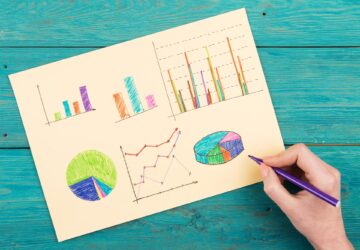
Line Graph Scales: Why the Same Data Can Look Different
A line graph can exaggerate a modest change. Learn to check axes, read a five-month sales example and build clearer charts from your data. Explore the article.
Frequency Histogram: Every Bar Traced to Its Scores
A frequency histogram shows how common scores are, not how high. Check interval boundaries, trace bars to scores, and avoid misreading the chart. See how.

Reading as Mental Design: How Books Shape the Way We Think
Flip open a book and you trigger a design studio in your head: eyes fixate for roughly 200–250 ms per word group, 10–15% of eye movements jump backward to verify links, and your working memory holds about four “chunks” while you assemble a model of what the text describes. Reading as a Form of Mental […]
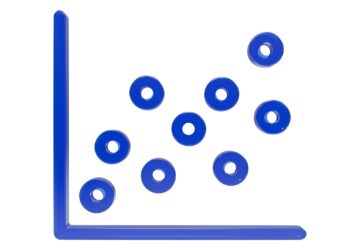
Scatter Plot Reading: Steepness Isn’t the Whole Story
A scatter plot's slope can look persuasive while its dots tell another story. Learn to judge strength, clusters and display choices. Read the article.

Climate Change Infographic: From Emissions to Action
See how a climate change infographic links heat-trapping gases to rising heat, then separates emissions cuts from adaptation. Explore the causes and actions.